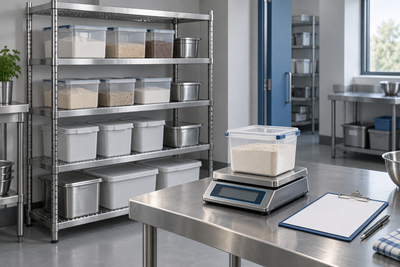
Illustrative concept: recording equipment identity for a service dossier. Not a customer, actual claim, approved repair or readable warranty document.
The replacement part is approved. The technician's travel is not. The kitchen has booked a Saturday visit, and nobody has agreed who pays the rest of the invoice. “It's under warranty” has answered only part of the question.
Compare commercial equipment warranty support as a set of promises, costs and decisions—not just a number of years. Before purchase, establish the applicable written terms and service arrangements. When a fault occurs, connect the equipment identity, evidence, claim reference and repair authorisation in one record.
This guide gives you a worked cost-and-authorisation example and an editable dossier. The figures and policy descriptions are fictional. They demonstrate questions to resolve, not the outcome of a real warranty or Australian Consumer Law claim.
Keep the written warranty and consumer guarantees separate
A manufacturer's warranty is an additional promise. The ACCC explains that warranties cannot remove applicable consumer guarantees, and those rights can continue beyond a written warranty period. An expired warranty, an exclusion or a missing service record should not be presented as automatically ending every legal right.
Business buyers can also qualify for consumer guarantees. The ACCC describes conditions and exceptions for business purchases; the word “commercial” on an appliance does not settle the question. Use its business consumer-guarantee guidance for the actual purchase, and obtain appropriate advice if eligibility or a remedy is disputed. This worksheet does not classify your purchase or decide an entitlement.
Keep two questions visible: what has been offered under the express warranty, and what other rights may apply? Administrative steps below help establish facts and organise work. They do not make a supplier's approval process the source of your statutory rights.
Ask what happens at your venue before you order
A long parts promise can still leave an unresolved service arrangement. Ask for the exact warranty document applying to the offered model, purchase channel and relevant dates. Keep that version with the quote. Identify who provides the promise and who receives the first report: the seller, manufacturer or another administrator.
- Parts and labour: which components and tasks are included, for what periods, and from which start event? Do not assume delivery, installation and dispatch dates are interchangeable.
- Attendance: is the arrangement on-site or return-to-service? How are travel, freight, access work, waiting and after-hours attendance treated at your address?
- Approval: who appoints the technician, approves diagnosis and authorises additional work? Ask how a chargeable estimate will be communicated.
- Continuity: what response has actually been promised? A warranty period is not an arrival-time guarantee, spare-parts availability promise or loan-machine agreement.
Record unanswered items as open. If an extended warranty is offered, ask what it adds beyond the existing written promise and applicable consumer guarantees. Compare the additional benefit and service process, rather than assuming another year means another year of every cost being paid.
One current manufacturer example shows why these fields matter. Moffat's Australian warranty page, effective 1 September 2024, differentiates products and order dates, requires its own or authorised warranty service, and identifies additional attendance costs, including after-hours, travel and poor access. It also recognises other legal rights. This is one provider's document, not a description of every Atlantic product. Retrieve the applicable terms for your exact offer.
Worked example: the same visit produces three different open questions
Fictional Australian-dollar estimate, with every figure excluding GST unless stated. Venue V1 reports a fault on appliance O1. An illustrative technician estimate lists a $420 part, $180 labour, $120 travel and a $90 after-hours surcharge: $810 excluding GST, or $891 including an assumed 10% GST. These are arithmetic inputs, not market rates or a repair quote.
The following alternatives are different hypothetical administrative positions. None determines whether the fault is covered, whether a charge is legally payable or what remedy applies. Assume the same four estimated cost lines in each case so the unresolved scope is easy to compare.
| Position | Assumed written response | Estimated unresolved amount | Next decision |
|---|---|---|---|
| A: parts and labour accepted | $420 part + $180 labour accepted for this hypothetical visit | $120 travel + $90 surcharge = $210 ex GST / $231 inc GST | Ask whether attendance costs are accepted or disputed; confirm appointment scope |
| B: only part accepted so far | $420 part accepted; labour and attendance not resolved | $180 + $120 + $90 = $390 ex GST / $429 inc GST | Request the basis and an itemised response before treating the remainder as payable |
| C: no scope agreed | No written acceptance or allocation yet | Entire $810 ex GST / $891 inc GST remains unallocated | Get a claim reference and clear instructions; do not label this an approved repair |
Scroll the table sideways to see every column.
“Unresolved” is deliberate: it is not a bill to the venue. Under A, the assumed accepted share is $600 excluding GST and the open share is $210; together they reconcile to $810. Under B, $420 plus $390 also reconciles to $810. You cannot subtract the approved part and call everything else automatically chargeable.
Changing the appointment to normal hours might remove the fictional $90 surcharge if the provider agrees and the revised estimate says so. It does not prove that travel is included or make waiting operationally suitable. Ask about the service alternatives and record the chosen arrangement, including any conditions. Keep food control and safe operation separate from an attempt to minimise attendance cost.
Build the claim dossier without guessing the fault
Give the appliance a stable asset ID and connect it to the model, serial number, seller, invoice and delivery record. Add relevant installation and commissioning documents, the applicable manual and warranty version, and the maintenance history. Photograph identification labels when they are safely accessible; do not move or dismantle installed equipment merely to find a plate.
The fault report should distinguish an observation from a diagnosis. “O1 stopped during the second load; display showed the attached code at 10:15” is a report. “The control board has failed” requires a competent diagnosis. Record settings, the task underway, first occurrence, recurrence, visible messages and who observed them. A missing record stays missing; do not reconstruct a service entry as though it was made at the time.
Keep photographs and video relevant and safe. They should show the symptom or normal arrangement without exposing people to heat, electrical parts or moving equipment. Do not bypass an interlock, repeatedly reset protection or open covers to create evidence. If the situation presents an immediate risk, follow the venue's emergency procedures and appropriate professional instructions rather than waiting for a claim decision.
Food-safety actions also need their own record. A refrigerator repair does not decide the suitability of affected food. Keep the food decision with the responsible personnel and the established procedure; the warranty dossier is an equipment and communication record.
Prepare a scope-and-claim record you can actually use
For your own supplier brief, record asset and purchase identity, fault observations, agreement terms, evidence and the next responsible contact. Replace the fictional inputs with actual evidence and leave unresolved decisions visible.
Please confirm the applicable warranty document, claim reference, appointed provider and authorised scope. Identify the accepted and unresolved cost lines, the reason for each position, and whom to contact before additional work. Please distinguish the express-warranty response from any other applicable rights.
For an Atlantic purchase, use the current warranty information and reporting pathway or contact Atlantic Equipment with the identity and symptom record. Ask for clarification while the evidence is accessible. Use the equipment services planning guide to document installation interfaces before they become a later disagreement.
Sources and example boundaries
- ACCC: Warranties—additional promises, continuing consumer guarantees and the difference from extended cover.
- ACCC: Consumer rights and guarantees—business-purchase eligibility and exceptions; no purchase-specific legal finding made here.
- Moffat Warranty—manufacturer-specific service and cost distinctions, effective 1 September 2024; not universal terms.
Sources checked 18 October 2026. V1, O1, the fault, prices and A/B/C responses are invented. No actual claim acceptance, cause, service response time, reimbursement, liability or legal remedy is asserted. Obtain the applicable documents and advice for a disputed purchase.
About this guide
Prepared by Atlantic Equipment. This guide separates a warranty promise, a fault dossier and repair authorisation. The worked allocation makes unresolved parts, labour and attendance costs visible without deciding who legally owes them. Use the records to give the supplier and service provider a clearer brief while preserving the distinction between contractual promises and applicable consumer rights.